
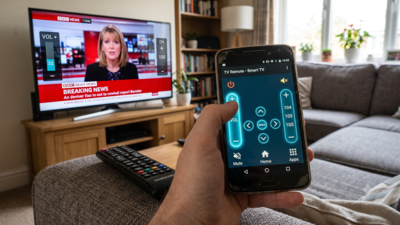
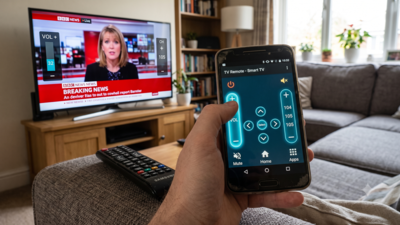
A misplaced TV remote does not necessarily mean buying a replacement. An old Android phone or tablet can work as a TV remote for free, as long as the television supports mobile control. Most smart TVs can be controlled through an app, as long as the phone and TV are connected to the same Wi-Fi network.The setup depends on the TV brand and platform. Roku has its own app for Roku devices and TVs, Samsung uses SmartThings, and Amazon offers a remote app for Fire TV devices. Google also provides mobile controls for compatible TV devices. Third-party apps such as Universal TV Remote are available on Google Play for TVs without a compatible manufacturer app.
How to use an Android phone as a TV remote
The most common method is to connect the Android phone and TV to the same Wi-Fi network and then pair them through a compatible remote app. Once connected, the phone can be used to change channels, adjust the volume, and navigate the TV interface.You can control Roku devices and TVs through the Roku app, while Samsung TVs can be connected through SmartThings. Amazon Fire TV devices have a separate remote app.You can also use third-party remote apps with compatible televisions. These apps vary by device and may display advertisements.Some TVs and remote apps support Bluetooth instead of Wi-Fi. Bluetooth lets the phone connect directly to the TV, though compatibility depends on the television and the app being used.
Use an IR blaster to control a TV
A USB-C infrared (IR) blaster provides another way to turn a phone into a TV remote. The small accessory connects to the phone’s USB-C port and sends infrared signals to compatible TVs.Unlike Wi-Fi or Bluetooth, an IR blaster does not require the phone and TV to be connected to the same network. It sends commands directly to the TV’s infrared receiver, similar to a conventional remote.USB-C IR blasters are available from various retailers and work with compatible remote-control apps. Some models can also control other infrared-enabled devices, including media players and air conditioners.The Wi-Fi and Bluetooth methods can be used without buying additional hardware when the TV and phone support them. An IR blaster, meanwhile, requires a separate accessory but can be useful when wireless TV control is unavailable.