
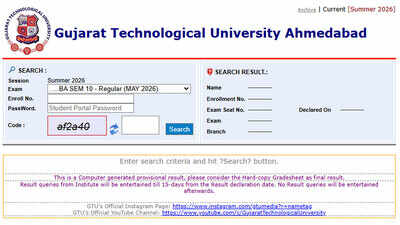
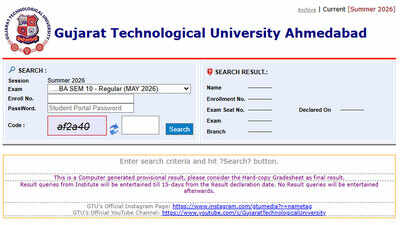
GTU results 2026: Gujarat Technological University (GTU) has released multiple results for the Summer 2026 examinations on its official result portal. Students can check and download their results through the dedicated GTU results website.The latest notifications released on August 19, 2026, include results for Master of Pharmacy (M.Pharm) Semester 2 Regular and Remedial examinations, Bachelor of Engineering (BE) Semester 4 Regular examinations and Diploma in Vocation Semester 1 Remedial examinations. Students can access their marks online using the details required on the result portal.GTU results 2026 released on August 19The university issued several result-related notifications on August 19, 2026. Alongside the M.Pharm and BE results, GTU also published notifications concerning elective subject entries for B.Pharm Semester 5 Regular students and for several biotechnology programmes for the Winter 2026 examination.The latest result notifications are part of a phased release covering different courses and semesters. Students should check the official portal for the result applicable to their programme.Results released between August 17 and 18GTU had also announced several results and reassessment outcomes in the preceding days. On August 18, results were declared for Diploma in Vocation Semester 3 Remedial, Semester 4 Regular and Semester 6 Regular Recheck/Reassessment examinations.On August 17, the university announced results for BE Minor Semester 7 Remedial Recheck/Reassessment, BE Semester 4 Remedial, Bachelor of Vocation (B.Voc) Semesters 1 and 2, Diploma in Vocation Semester 2 Regular and Remedial, and Master of Computer Applications (MCA) Semesters 1 and 2.How to check GTU result 2026Students can follow these steps to access their marks:Step 1: Visit the official GTU results portal.Step 2: Step : Select the relevant examination and session.Step 3: Enter the required enrolment or seat details.Step 4: Provide the requested credentials and captcha.Step 5: Submit the details to view the result.Step 6: Download the result for future reference.The online result is provisional. Students should check their name, enrolment or seat number, course, semester, subject-wise marks, total marks and result status after downloading the scorecard.Revaluation and result-related queriesGTU provides students with provisions for revaluation or reassessment, where applicable. The university’s result portal states that result-related queries must be submitted within 15 days from the result declaration date. Students seeking such services should follow the instructions and deadlines specified by GTU.GTU result 2026 direct linkStudents can check and download their results through the official GTU results portal. GTU results 2026 portal